
Fast & Accurate A/B
Baaarry is a desktop A/B mix companion for producers and mix/mastering engineers. Line your bounces up against reference tracks (and each other), switch instantly between any point in any track, and see exactly where your master drifts on loudness, EQ balance, amplitude, and stereo width.
Pay what you can, or grab it free. Available on macOS and Windows.
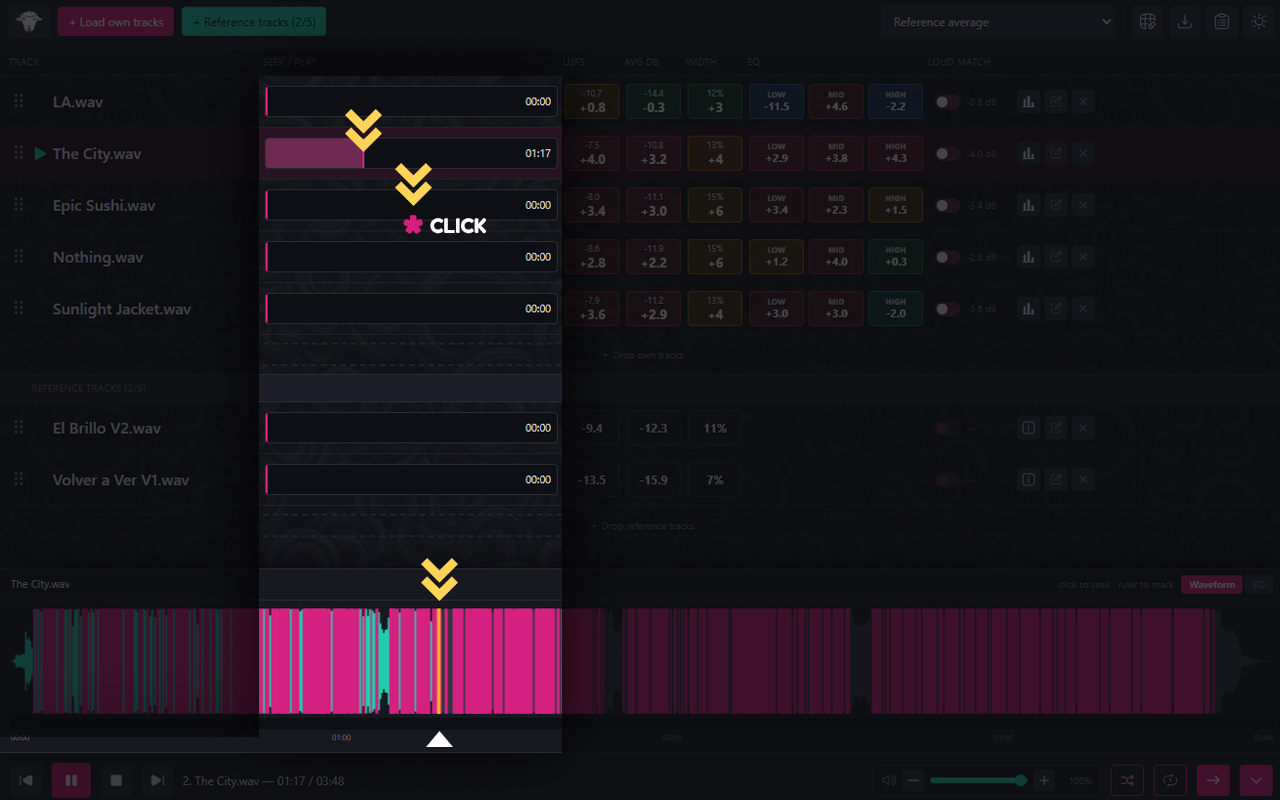
A/B without the fumbling
Switch tracks and positions, instantly
Comparing mixes only works if switching is effortless. Baaarry keeps every track on one screen and lets you jump between them in a click. Set a start marker on each track to drop the playhead exactly where it matters: the chorus, the drop, the quiet bridge, then auto-advance through your queue to audition a whole EP back to back.
- One-click switching between any loaded track.
- Per-track start markers; jump straight to the part that matters.
- Click-to-seek playhead and auto-advance through the list.
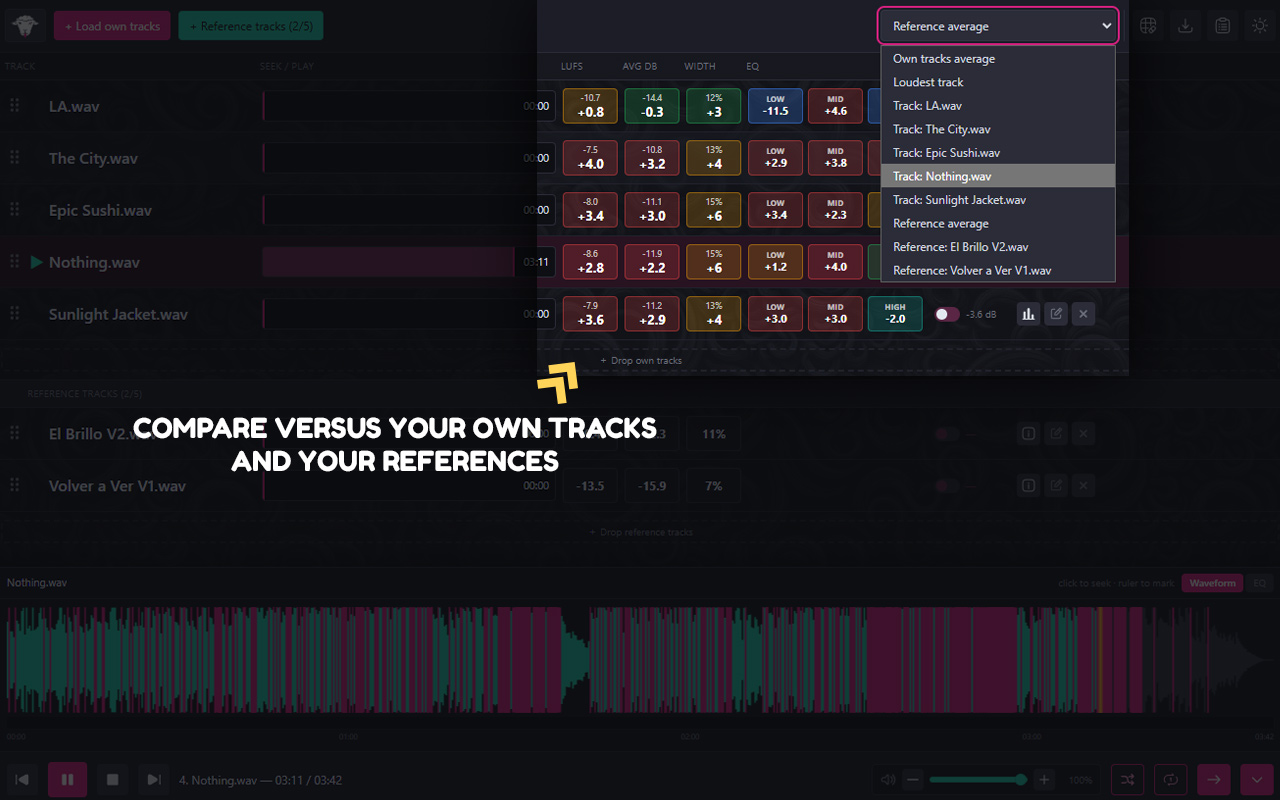
Reference like a pro
Compare against the loudest, the average, or any track
Load up to five reference tracks and choose what everything else is measured against: the loudest track, an average of your own bounces or reference tracks, or a specific track. Each track's LUFS, average dB, EQ energy, and width are bucketed into colour-coded pills.
- Up to 5 reference tracks with a unified “Compare against” target.
- Colour-coded pills for LUFS, avg dB, 3-band EQ, and stereo width.
- Deviation overview that recalculates as you load tracks.
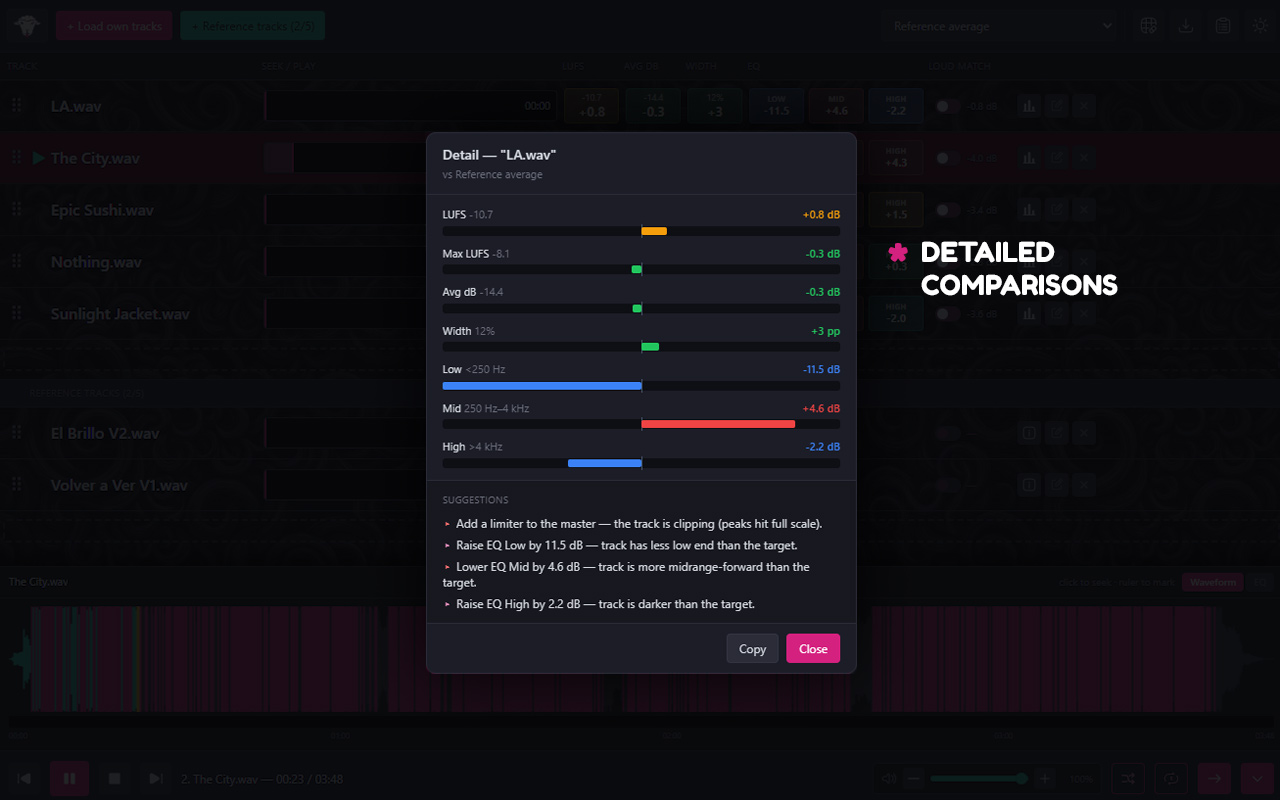
Know what to fix next
Plain-language suggestions, notes, and shareable reports
Baaarry turns the numbers into severity-ordered, plain-language suggestions: “low end is 3 dB hot versus your reference”, not a wall of figures. Write notes as you listen, then copy suggestions and notes, or export a full report (.md or .txt)
- Severity-ordered, plain-language mix/master suggestions.
- Per-track notes captured while you listen.
- Copy suggestions or export a full report for the whole session.
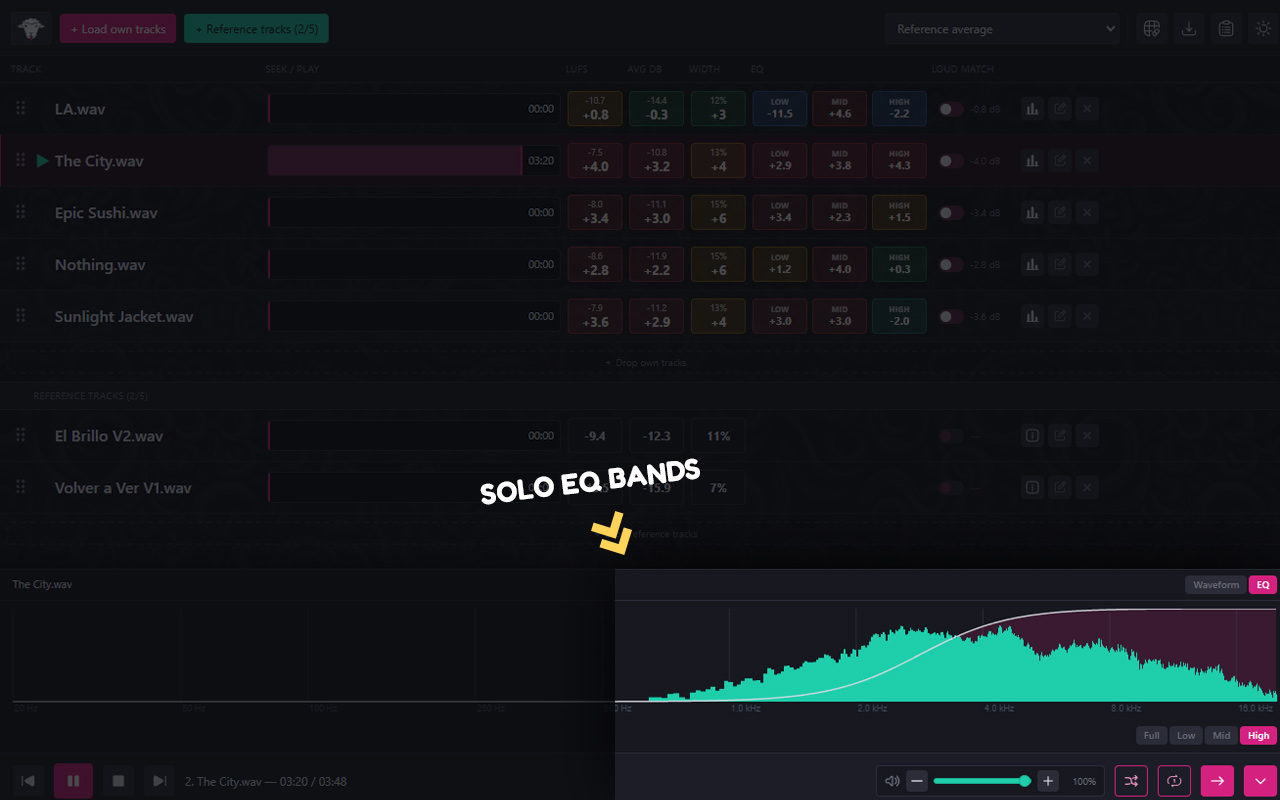
See and hear the spectrum
Solo a band, watch the spectrum, catch the clipping
Audition a single frequency band (Low, Mid, High) across every track to pinpoint where a mix differs. The waveform + live spectrum drawer shows peak markers and a click-to-seek playhead alongside a real-time frequency display with gridlines and a hover readout, while a clipping indicator flags anything pushing past the ceiling.
- EQ band solo (Full / Low / Mid / High) across all tracks.
- Waveform with peak markers + real-time spectrum with hover readout.
- Clipping indicator so nothing slips past the ceiling.
Everything in the box
A/B against up to 5 references
Unified “Compare against” target: loudest, an average, or a specific track.
Per-track analysis
Integrated/max LUFS, average dB, 3-band (Low/Mid/High) EQ energy, and stereo width, bucketed and colour-coded against the target.
Suggestions engine
Severity-ordered, plain-language mix/master suggestions per track.
Loudness-matched playback
A/B at matched loudness through a brick-wall limiter.
EQ band solo
Audition a single band (Full / Low / Mid / High) across tracks.
Waveform + live spectrum
Peak markers, click-to-seek playhead, and a real-time frequency spectrum with gridlines and hover readout.
Notes, markers, overview & export
Per-track notes, start markers, deviation overview, and report / suggestions export.
Sessions
Save and reopen your comparison as a .brry file.
Themes, settings & broad codec support
Light/dark themes, configurable settings, and MP3 / WAV / OGG / FLAC support with graceful handling of corrupt or missing files.
Pay what you can. Or nothing at all.
Baaarry is pay-what-you-can; set your own price if it's earning its place in your workflow, or download it free if money's tight. No trial timer, no locked features, no account required. If it helps you ship better-sounding records, that's enough.
Frequently asked questions
What audio formats are supported?
MP3, WAV, OGG, and FLAC. Corrupt or missing files are handled gracefully so one bad file won't take down your session.
How many reference tracks can I load?
Up to five reference tracks alongside your own tracks. You choose a single “Compare against” target: the loudest track, an average of your own bounces, or a specific track.
When does the comparison update?
Whenever you load new tracks. Baaarry re-runs its analysis and recalculates the colour-coded buckets and deviation overview against your chosen target automatically.
How does loudness matching work?
Playback is loudness-matched through a brick-wall limiter so you A/B at a level playing field instead of being fooled by “louder sounds better”. Matching toggles appear once there's something to match against (your own tracks and/or reference tracks), so you can choose what playback is normalised to.
Where are the waveforms and analyses stored?
Analyses and waveforms are cached locally on your machine so reopening a session is fast and doesn't re-scan every file. Nothing is uploaded; Baaarry runs entirely offline.
What if I move or rename my audio files?
If a file has moved, Baaarry flags it rather than failing silently, and lets you relink it so your session and cached analysis stay intact.
What's the tech stack? Is it Electron?
No Electron. Baaarry is built with Tauri; a Rust core does the heavy audio analysis while a lightweight React/TypeScript interface handles playback and visualisation. That keeps it fast and far lighter than an Electron app.
Does it cost anything?
It's pay-what-you-can: name your price, or download it free. No locked features and no account required.
Why is my super-wide track showing as less than 50% width?
The width figure is a mid/side side-energy ratio: 100 · side / (mid + side), where side = (L − R) / 2. By that definition a signal panned hard to one side reads ~50%, and only full anti-phase (L = −R) reaches 100%. Real commercial masters are mostly correlated (kick, bass, and vocal sit centred) with decorrelated sides, so a 30–40% side ratio is roughly what this formula is expected to produce. A “narrow” reading there is normal, not a fault in your master.